
As in the case of traditional electronic banking, in the case of bitcoins, funds may be exposed to theft if we do not take care of their security.
Still, well-secured bitcoins are much safer than money in bank accounts. They cannot be accessed by the government (unlike bank accounts in Cyprus, for example), bailiffs or a spouse in a divorce.
Bitcoin security depends primarily on:
- wallet where we store funds
- security of our computer (e.g. antivirus)
- ourselves and basic knowledge about safe use of the Internet.
Bitcoin security on your personal computer
If you want to store bitcoins on your computer, make sure you have an updated antivirus system. Scan your computer regularly and update it. Of course, no antivirus will protect us 100% against viruses or Trojans, but it will certainly significantly reduce the risk.
If you use a wallet as a desktop application, if you use a wallet as a desktop application, remember to encrypt it! Most decent wallets of this type should have this option. Even if such an encrypted wallet falls into the wrong hands, it will be useless as long as a strong password has been set (at least 8 characters, lower and upper case letters + numbers + special characters).
It is worth making copies of your wallet (private keys) and storing them in a safe place. It is best – in line with the idea of Bitcoin and decentralization – to store them in several places and on several media.
Bitcoins on websites
Although this is a very practical solution, you must be aware of the risks it carries. The website may fall victim to a hacker attack or its dishonest owner may disappear with our funds. If we keep bitcoins on websites, we must be aware that their security depends largely on third parties.
However, if we decide on this type of solution, we have full confidence in the website and we do not store large amounts there, remember that the safety of the bitcoins you collect there also depends on you.Above all:
- Remember to use antivirus, scan and update your computer.
- Never log in to websites via unsecured WiFi networks or hotspots.
- Choose websites that have additional 2FA (Two Factor Authentication) security.
In the case of 2FA, in addition to the standard password for the website, additional verification is necessary, e.g. via a mobile application, SMS code or e-mail. This solution significantly reduces the risk of theft in the event of viruses, Trojans, data theft or hacker attacks on the websites where we store BTC.
Extra precautions
A good practice when logging in to websites that provide online services is to use the on-screen keyboard. This significantly reduces the risk of your password being viewed by Trojans or keyloggers.
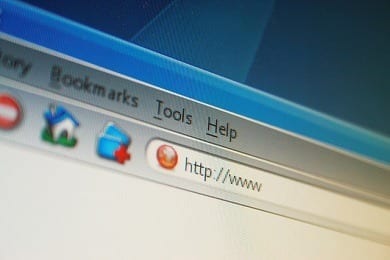
Do not log in where the session is not encrypted – this means there is no SSL certificate. You can easily recognize it by the address visible in the browser bar. If the address begins with “https://”, the website is encrypted. If it starts with “http://” (no letter S), it is better not to enter your password on this website. Unencrypted transmissions can be eavesdropped – and therefore your passwords too.
If you open a link to a given website (from an e-mail or from another website), make sure that it is exactly the website you want to get to. The substituted website may look confusingly similar to the original and differ, for example, by 1 letter in the address and the lack of the above-mentioned certificate, which is sometimes easy to miss.
Never use the same passwords on different websites. Once one website is attacked and passwords are leaked, hackers will easily get to your other accounts.
Keep your mailbox password safe. Choose those with the 2FA option. If your password for the mailbox gets into the wrong hands, someone will also be able to access the services for which you used this mailbox during registration (remind password function).
Do not save your website password in your browser. Typically, the browser asks for this when you log in to the website for the first time.
It is also not worth storing large amounts on websites. Their idea is quick access to funds, but this speed works both ways – for you and possible, undesirable third parties.
Storing bitcoins on your phone
Just like computers, mobile phones are also at risk from viruses. Take care of their security by installing an antivirus dedicated to mobile devices.
Additionally, it is worth making copies of the wallet (private keys) and placing them outside the device, for example on a pendrive.
Network security
Even if we secure our equipment like a fortress, let’s not lose vigilance. We must be aware of the fact that there are many fraudsters online who use various manipulative techniques.
We don’t care about security if we give someone our private key to the address where we store the funds. Fraudsters often take advantage of ignorance or poor knowledge of a given topic (e.g. in the context of bitcoin). It sometimes happens that under the guise of help, when we have a problem, e.g. with wallet synchronization, and we are looking for advice online, a fraudster may extort our private keys or the file where they are located (wallet.dat).
Never trust strangers online. If someone offers you help in solving a problem and asks you to provide personal data or send some files, you should see the so-called “red light”. An honest person, willing to help, will direct you to solve the problem yourself. Too much involvement in a stranger’s desire to do things for you should always be a warning sign.
Beware of fraudsters impersonating our website
Also watch out for e-mails from people pretending to be heads of companies, investigative bodies, public trust institutions or, for example, our website.
Unfortunately, we continue to receive reports from our readers that they are receiving emails stating that they are supposedly storing some bitcoins with us, which they should claim by clicking on the link and following the instructions.
As Bitcoin.pl, we officially declare that we do not give away free bitcoins, do not encourage any investments, nor do we store bitcoins for Bitcoin.pl readers.. Please carefully check the sender of the message (whether the received email actually comes from the address “@bitcoin.pl”).
Buying/selling bitcoins from an advertisement
We can often see advertisements for the sale of bitcoins or other cryptocurrencies on the Internet. You should be especially careful with these types of transactions.
Don’t be tempted by a more attractive price, always choose ads from users with a good reputation and experience.
If you decide to place an ad on the Polish Bitcoin Forum, check the user’s registration date, rank, number of posts and comments from any previous transactions.
If possible, use escrow from trusted users.
If you sell bitcoins, do not agree to pay via PayPal – a potential fraudster may reverse the transfer!
Never agree to buy any type of phone top-ups/coupons/money cards such as PAYSAFECARD cards on stock websites under the guise of buying bitcoins. Unfortunately, this practice is quite common. The fraudster offers us to buy bitcoins through an auction site, e.g. Allegro. These types of offers regarding cryptocurrencies are prohibited, so the fraudster suggests that instead of bitcoins, we buy a money card/coupon/phone top-up at the auction. The buyer has a false sense of security that he is buying through a well-known auction site that protects him.
Never use advertisements for selling bitcoins at a very attractive price. It is quite common and normal to sell bitcoins several percent cheaper than on exchanges, but if the offer is much more attractive – do not use it. There is a high probability that this is a scam.
Never make a transaction with someone who makes you an attractive offer by contacting you via private message, e.g. on a forum, e-mail, SMS, social networking site or messenger.
Keep your bitcoins safe – be careful!
Remember that there are Trojans that can replace the bitcoin address you send to someone. So make sure that the recipient received the address you sent. Transactions on the bitcoin network are irreversible. Once a transaction has been sent, it cannot be reversed.
It often happens that a person who contacts you via e.g. instant messenger pretends to be someone else, e.g. a trusted person from a forum/website/social networking site. Of course, you can verify such a person by direct contact on a given website, but remember that a fraudster can manipulate both you and the trusted person he is impersonating. Therefore, the best way is only direct contact from start to finish, via websites where you can confirm that you are talking to the person you want.
All the above tips are a set of basic safety rules for operating a computer and navigating the Internet. They apply to every computer user, not just Bitcoin users. Remember that the security of the bitcoins you buy and accumulate depends primarily on you.